
Jupiter Card Review 2026
Discover Jupiter Card, the Solana-native Visa debit card for spending USDC-funded USD at millions of Visa merchants with zero USD fees and crypto cashback.
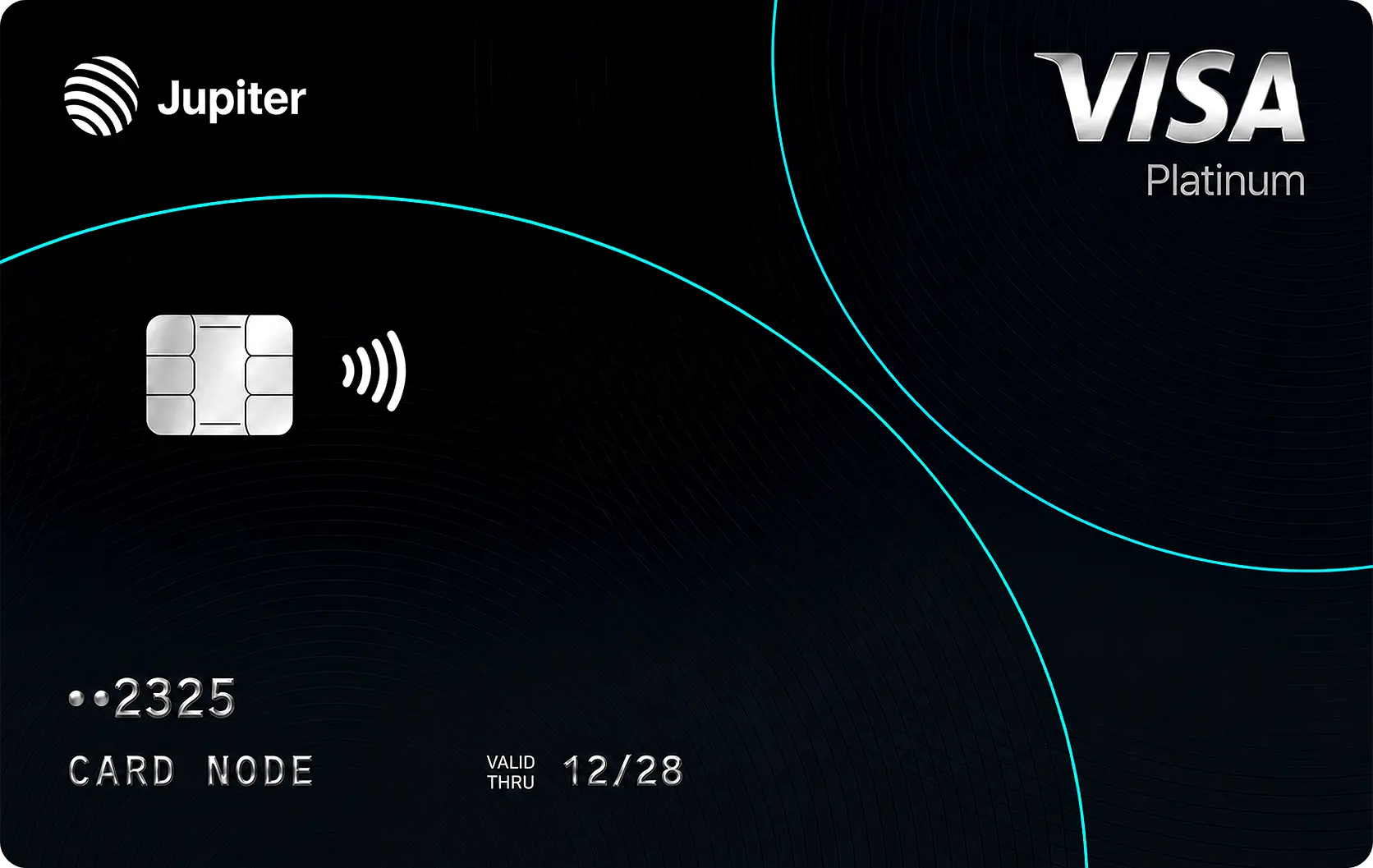
Jupiter Card is one of the best Solana crypto debit cards for spending USDC, offering zero USD spending fees, worldwide Visa acceptance, and seamless integration with a non-custodial Solana wallet.
Z8QTEGEG
✓ Reasons to get it
- Zero added fees on USD-denominated transactions, and USDC deposits convert 1:1 to USD, so dollar spenders pay no conversion markup.
- Non-custodial DeFi wallet layer: your on-chain wallet stays under your control, and card USDC sits in Solana smart-contract escrow until settlement.
- Broad reach, accepted at 150M+ Visa merchants, with Apple Pay and Google Pay support and a fee-free international transfer feature.
✕ Things to watch
- Non-USD spending carries a 1% (Rain) or 1.8% (DCS/APAC) FX fee, so it's less attractive for spending in your local non-dollar currency.
- Cashback rate and cap have changed since launch and are reported inconsistently (2% vs ~4%); the ongoing base rate is not reliably confirmed.
- Once you enter Global mode, your USDC is converted to USD and held by a regulated issuer, that balance is custodial even though the wallet is not.
Our full review
Jupiter Card is the Visa debit card inside Jupiter Global, the payments arm of jup.ag Solana's largest DEX aggregator. We tested the signup and funding flow through the Jupiter mobile app.Custody
Jupiter runs two modes. In pure DeFi mode your Solana wallet is fully self-custodial. Enabling the card switches you to Global mode: you deposit USDC, which converts 1:1 to USD and is held by a regulated issuer (Rain or DCS depending on region) for spending. Your on-chain wallet stays separate and under your control, and Jupiter states it does not take custody of your DeFi wallet funds, but the spendable card balance itself sits with the issuer, so treat that portion as custodial.
Fees and cashback
For a dollar spender the headline is good: 0% on USD transactions, and USDC deposits credited 1:1 with no deposit fee. Spending in other currencies costs 1% on Rain-issued cards or 1.8% on DCS-issued (APAC) cards. Cashback is paid in JupUSD, Jupiter's dollar stablecoin, but here the numbers are messy: sources close to the product report a base rate of anywhere from 2% to about 4%, with a monthly cap around $100 at the base tier. Because that rate has moved since launch and varies by month and referral status, we treat the exact figure as unconfirmed, check it in-app for your account. We could not find a published ATM fee or annual fee.
Everyday use
KYC is mandatory (via Jupiter ID / SumSub) and typically takes a few minutes. Rain-issued cards carry no stated daily spending limit; DCS-issued APAC cards cap at $50,000/day. The card is virtual, works at 150M+ Visa merchants, and supports Apple Pay and Google Pay. Jupiter Global also bundles USD/EUR virtual accounts and fee-free transfers to 200+ countries.
Get $20 Bouns on the Jupiter Card with code Z8QTEGEG
Enter Z8QTEGEG at signup to get $20 Bouns on the Jupiter Card.
Fee breakdown
Lower bars are better. This is what the card actually costs you, verified against issuer terms.
How Jupiter Card compares
| Card | Custody | USD fee | Cashback | Rating |
|---|---|---|---|---|
| Jupiter Card this card | custodial | 0% | 2% stablecoin | ★ 4.8 |
| RedotPay Crypto Card | custodial | 1% | None | ★ 4.6 |
| Kast Card | custodial | 0% | 1.5% | ★ 4.5 |
| DPT Crypto Card | custodial | 0% | None | ★ 4.5 |

How to get the Jupiter Card
- 1Open the Jupiter app and switch to Global mode
Download the Jupiter mobile app and tap the Card icon in the bottom-right corner to enter Jupiter Global.
- 2Complete Jupiter ID (KYC)
Verify your identity with a government ID and selfie (plus proof of address in APAC). Verification is handled by SumSub and usually takes a few minutes.
- 3Fund with USDC and activate the card
Tap 'Add money' to deposit USDC, which credits 1:1 in USD with no fee. Your virtual Visa card is then ready to spend, including via Apple Pay or Google Pay.
- 4Is Jupiter Card custodial or non-custodial?
Both, depending on mode. Your Solana DeFi wallet stays self-custodial. But to use the card you deposit USDC into Global mode, where it converts to USD and is held by a regulated issuer (Rain or DCS) that spending balance is custodial, even though your underlying wallet is not.
- 5What Are the Jupiter Card Fees?
Jupiter Card keeps fees relatively low for everyday spending. No fee to deposit USDC. No fee for purchases made in U.S. dollars. Foreign currency transactions may incur a 1% or 1.8% foreign exchange fee, depending on the card issuer and your region.
- 6Is Jupiter Card a physical card or only a virtual card?
At launch, Jupiter Card is available as a virtual Visa card that can be used directly from the Jupiter app or added to supported digital wallets where available. While a physical version has been mentioned by the team, there is no confirmed release date at the time of writing.
Official sources
Primary sourcesEvery figure in this review was checked against the issuer's own documents. Follow any link below to verify it yourself.
- Jupiter Global landing page (official) landing.global.jup.ag Checked 2026-07-18
- What is Jupiter Global (official) support.jup.ag Checked 2026-07-19
Frequently asked questions
Does Jupiter Card have a referral code?
How can I get a $20 bonus with Jupiter Card?
Does Jupiter Card have a promo code?
Reader reviews
No reader reviews yet. Be the first to share your experience with Jupiter Card.